
Integración con Microsoft Teams
Las funciones de integración disponibles con Microsoft Teams incluyen:
- Adaptador Search and Call de Teams
- Mostrar, Agregar, Hacer Emerger contacto CRM para llamada entrante
- Teams como dispositivo de marcación preferido
- Abra el chat de Microsoft Teams desde la ventana de Presencia
- Mostrar imagen de avatar de Teams en la ventana de Presencia
- Mostrar el estado de disponibilidad de Teams de compañeros de trabajo en la ventana de Presencia
- Publique el estado "En una llamada" en Microsoft Teams
Search and Call (aplicación del Adaptador de Teams)
The Search and Call app for Microsoft Teams can be installed and used by any Blink Voice CRM Integrator user.
Once installed, the Search and Call app will offer the Blink Voice CRM Integrator Address Book search functionality from within Teams, and allow users to click to dial from within Teams.
NOTE: The Blink Voice CRM Integrator software must be active and connected to use the Teams Search and Call app.
Ingrese un nombre de contacto que desea encontrar y haga clic en "Buscar"

Las entradas coincidentes se encuentran en el directorio de usuarios del sistema telefónico y en la libreta de direcciones integrada:
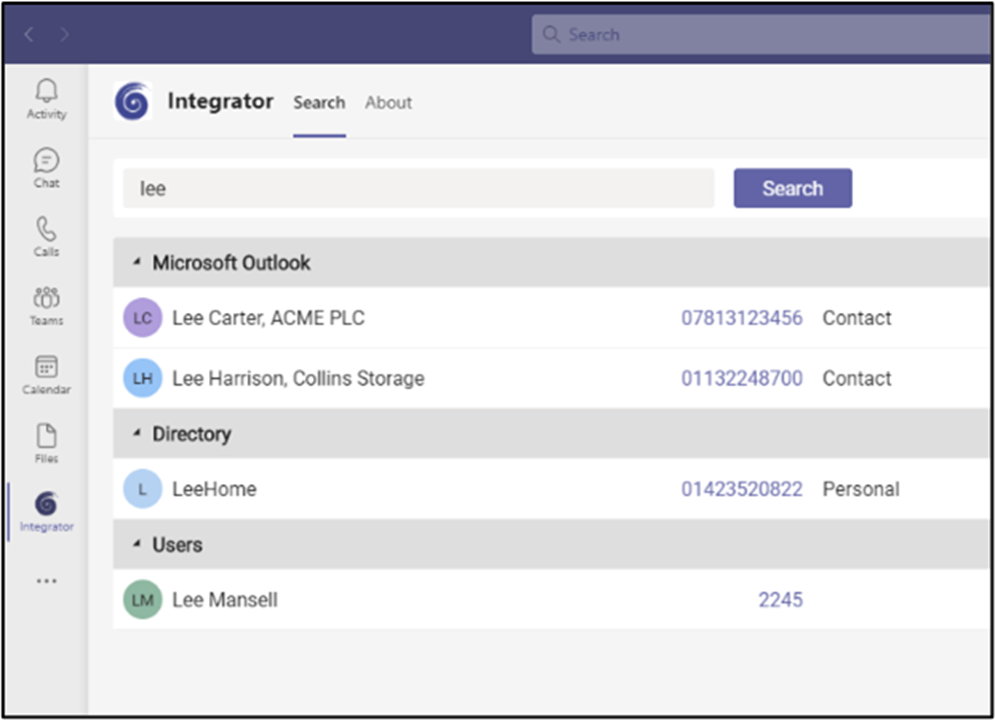
Haga clic en el número para marcar.
Mostrar, Agregar, Hacer Emerger contacto CRM para llamada entrante
When the Microsoft Teams user receives an incoming call via their Telephone system direct routing service, Blink Voice CRM Integrator users can view contact information for any matching entries from any integrated address books. Esta información de contacto estará dentro de la ventana de Vista Previa o en la ventana de notificación de la Barra de herramientas de llamadas.
Teams como dispositivo de marcación preferido
When the Telephone system user has a direct routing service available for Microsoft Teams, Blink Voice CRM Integrator TEAM and UNITE users can select "Teams" as their Preferred Device, used to make and receive calls.
En el modo de Bandeja, el icono Dispositivo preferido ofrece una selección de menú desplegable de los dispositivos disponibles.
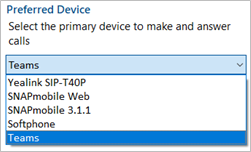
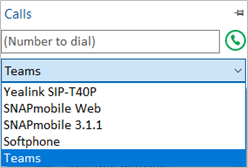
En el modo AppBar, se muestra el menú desplegable del Dispositivo preferido en la ventana "Llamadas".
Outgoing calls initiated from Blink Voice CRM Integrator will be passed to the Teams client which will prompt the user to begin the outgoing call:
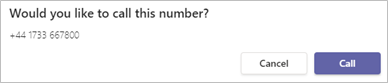
NOTE: Incoming calls to the Teams client cannot be answered by Blink Voice CRM Integrator - use the Teams incoming call notification to answer calls.
Abra el chat de Microsoft Teams desde la ventana de Presencia
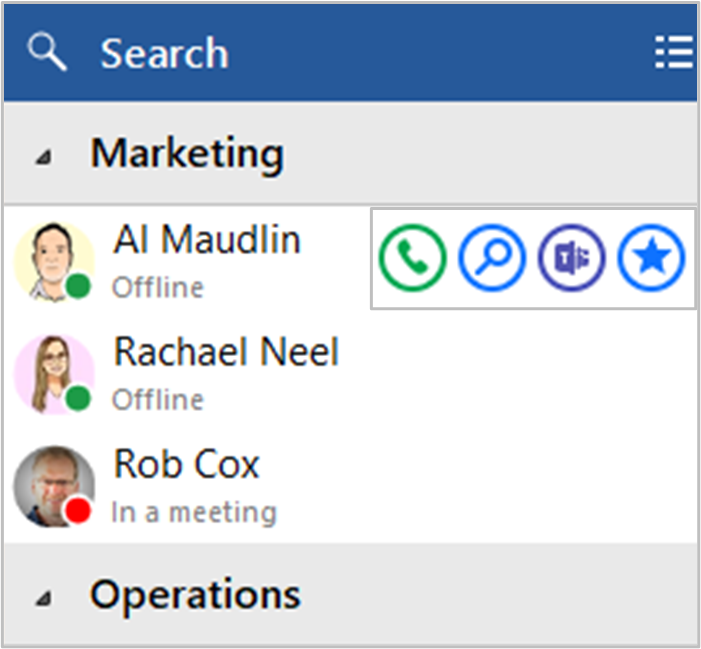
Blink Voice CRM Integrator TEAM and UNITE users can open a Teams chat conversation from within the Blink Voice CRM Integrator Presence window, using the slide out menu that appears when hovering over a contact icon.
(la conversación tiene lugar dentro de Microsoft Teams)
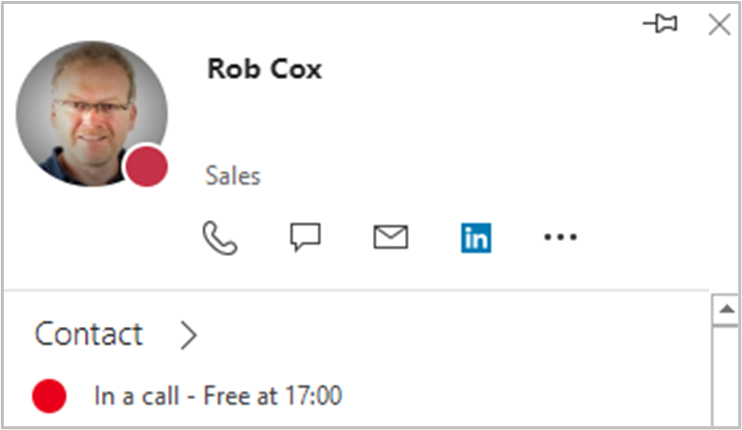
Mostrar imagen de avatar de Teams en la ventana de Presencia
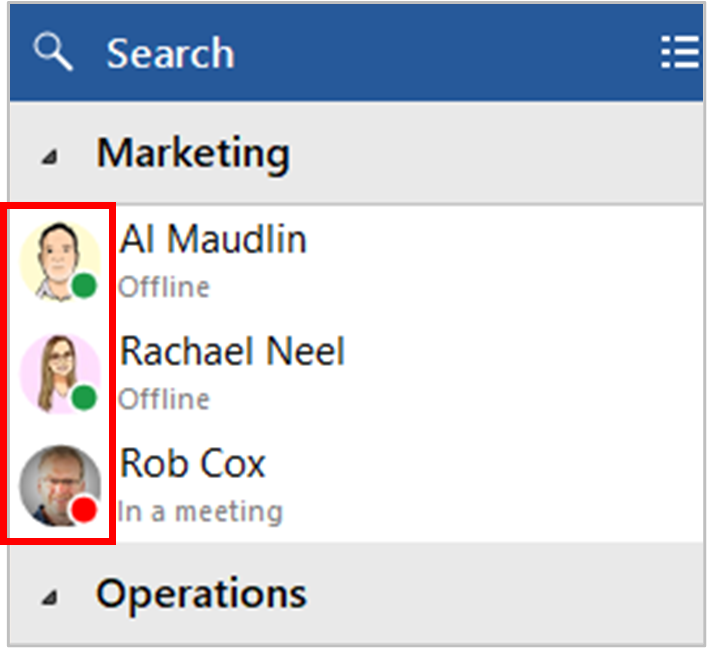
For Blink Voice CRM Integrator TEAM and UNITE users, co-worker avatar images are displayed against each User's contact icon within the Blink Voice CRM Integrator Presence window.
Mostrar el estado de disponibilidad de Teams de compañeros de trabajo en la ventana de Presencia
Presencia con disponibilidad de Teams
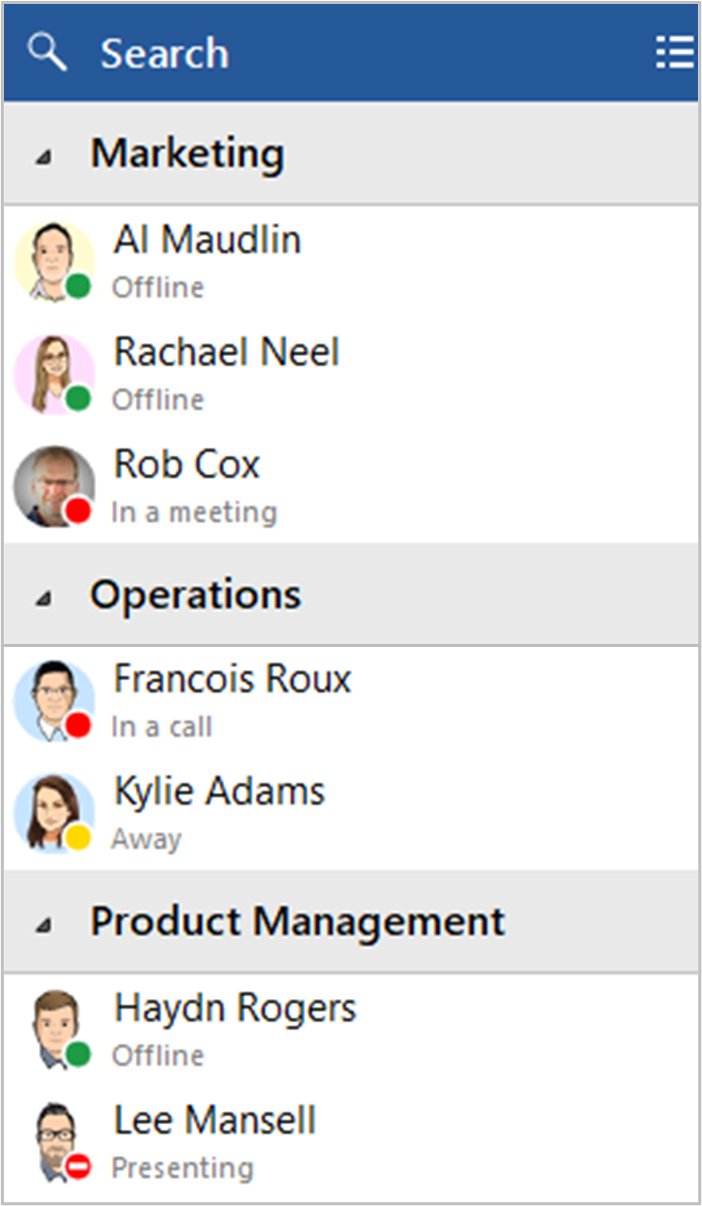
For Blink Voice CRM Integrator TEAM and UNITE users, co-worker availability is displayed as a combination of Telephone system extension status and Microsoft Teams user Availability status, indicated by a mixture of icon color and status text:
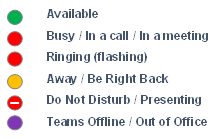
NOTE: An active call via the Telephone system extension will take precedence over Teams Availability status
Publique el estado "En una llamada" en Microsoft Teams
Esta función permite a Blink Voice CRM Integrator cambiar el estado de disponibilidad de Teams a "En una llamada" cuando el usuario está en una llamada telefónica activa a través del sistema telefónico.
Estado "En una llamada" dentro de Microsoft Teams

Estado "En una llamada" dentro de Microsoft Outlook
 Report this page