
Intégration Microsoft Teams
Les fonctionnalités d’intégration disponibles avec Microsoft Teams incluent :
- Adaptateur Teams Search and call
- Afficher, ajouter, ouvrir contact CRM pour les appels entrants
- Teams comme périphérique de numérotation préféré
- Ouvrez Microsoft Teams chat à partir de la fenêtre Présence
- Afficher l’image de l’avatar Teams dans la fenêtre Présence
- Afficher le statut de disponibilité Teams des collègues dans la fenêtre Présence
- Publier le statut « En cours d’appel » sur Microsoft Teams
Recherche et appel (application Teams Adaptor)
The Search and Call app for Microsoft Teams can be installed and used by any Blink Voice CRM Integrator user.
Once installed, the Search and Call app will offer the Blink Voice CRM Integrator Address Book search functionality from within Teams, and allow users to click to dial from within Teams.
NOTE: The Blink Voice CRM Integrator software must be active and connected to use the Teams Search and Call app.
Entrez le nom du contact à chercher et cliquez sur « Rechercher »

Les entrées correspondantes se trouvent dans l’annuaire des utilisateurs du système de téléphonie et le carnet d’adresses intégré :
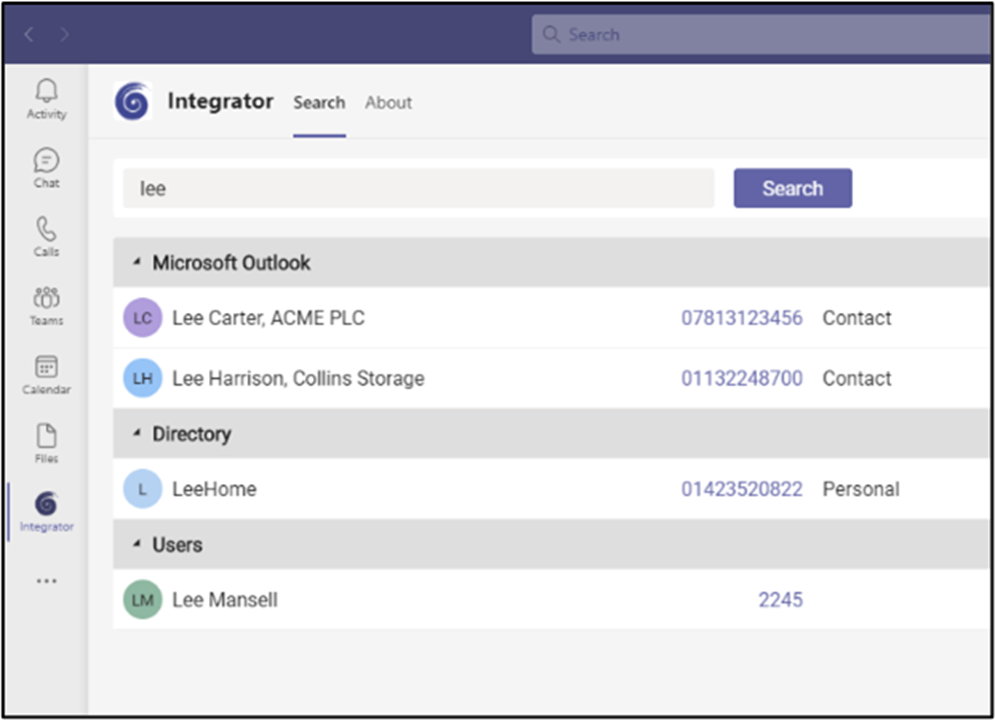
Cliquez sur le numéro à composer.
Afficher, ajouter, ouvrir contact CRM pour les appels entrants
When the Microsoft Teams user receives an incoming call via their Telephone system direct routing service, Blink Voice CRM Integrator users can view contact information for any matching entries from any integrated address books. Ces coordonnées se trouvent soit dans la fenêtre d’aperçu soit dans la fenêtre de notification de la barre d’outils d’appel.
Teams comme périphérique de numérotation préféré
When the Telephone system user has a direct routing service available for Microsoft Teams, Blink Voice CRM Integrator TEAM and UNITE users can select "Teams" as their Preferred Device, used to make and receive calls.
En mode Barre des tâches, l’icône du Périphérique préféré offre une sélection de menu déroulant parmi les appareils disponibles.
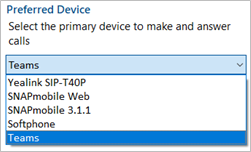
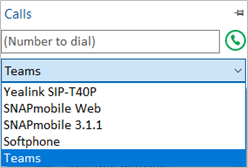
En mode AppBar, le menu déroulant Périphérique préféré s’affiche dans la fenêtre « Appels ».
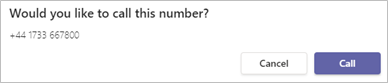
Outgoing calls initiated from Blink Voice CRM Integrator will be passed to the Teams client which will prompt the user to begin the outgoing call:
NOTE: Incoming calls to the Teams client cannot be answered by Blink Voice CRM Integrator - use the Teams incoming call notification to answer calls.
Ouvrez Microsoft Teams chat à partir de la fenêtre Présence
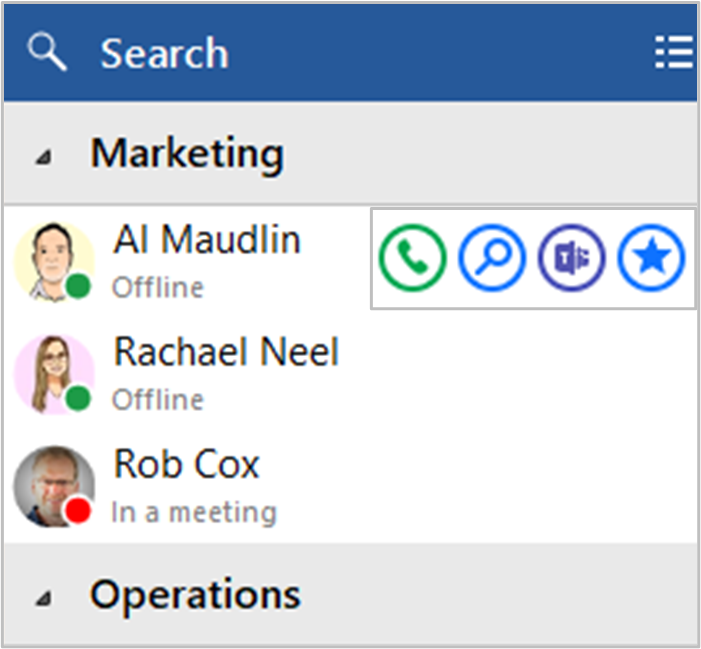
Blink Voice CRM Integrator TEAM and UNITE users can open a Teams chat conversation from within the Blink Voice CRM Integrator Presence window, using the slide out menu that appears when hovering over a contact icon.
(la conversation a lieu dans Microsoft Teams)
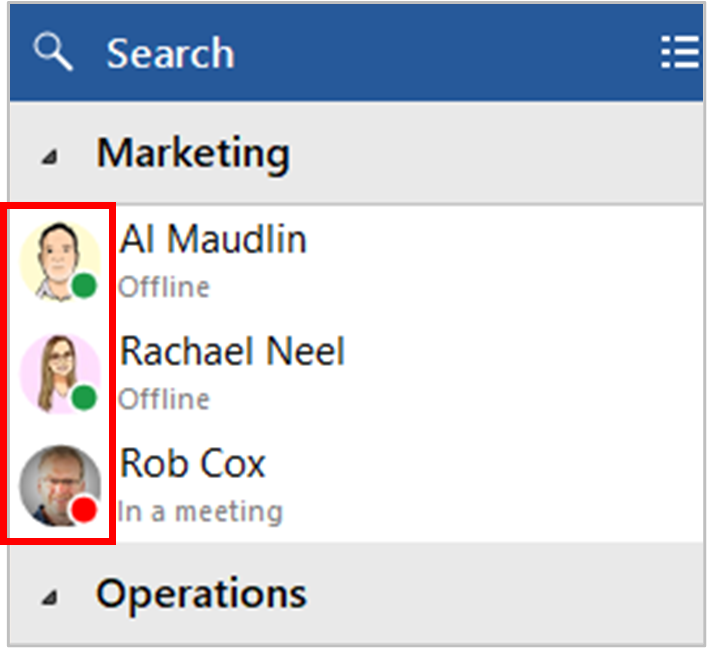
Afficher l’image de l’avatar Teams dans la fenêtre Présence
For Blink Voice CRM Integrator TEAM and UNITE users, co-worker avatar images are displayed against each User's contact icon within the Blink Voice CRM Integrator Presence window.
Afficher le statut de disponibilité Teams des collègues dans la fenêtre Présence
Présence avec la disponibilité Teams
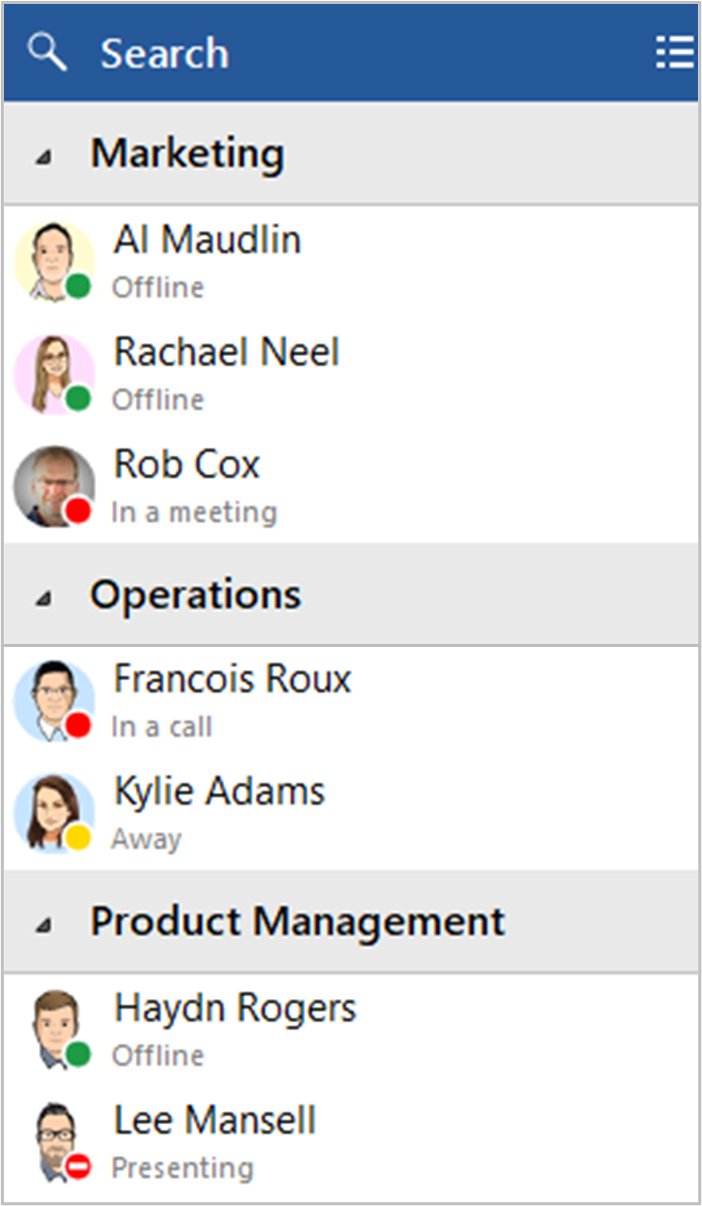
For Blink Voice CRM Integrator TEAM and UNITE users, co-worker availability is displayed as a combination of Telephone system extension status and Microsoft Teams user Availability status, indicated by a mixture of icon color and status text:
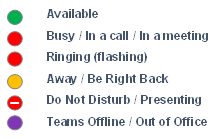
NOTE: An active call via the Telephone system extension will take precedence over Teams Availability status
Publier le statut « En cours d’appel » sur Microsoft Teams
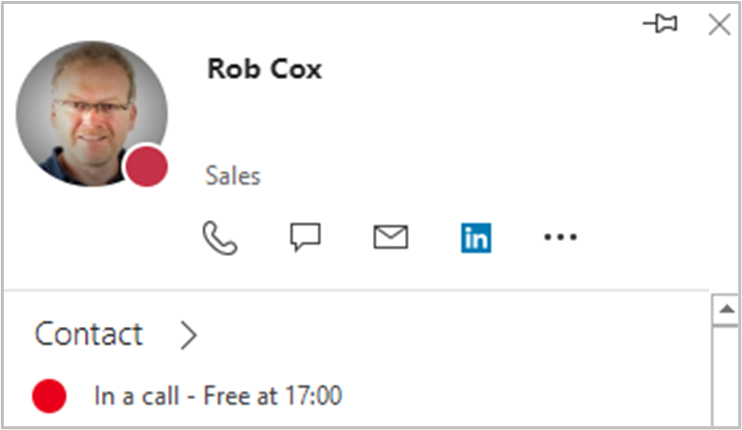
Cette fonction permet à Blink Voice CRM Integrator de modifier le statut de disponibilité de Teams pour « En cours d’appel » lorsque l’utilisateur participe à un appel téléphonique actif via le système de téléphonie.
Statut « En cours d’appel » dans Microsoft Teams

Statut « En cours d’appel » dans Microsoft Outlook
 Report this page