
Microsoft Teams Integratie
De integratiefuncties die beschikbaar zijn met Microsoft Teams omvatten:
- Zoeken en Bellen teams adapter
- Toon, Voeg toe, CRM-klanten kaart tonen voor inkomende oproep
- Teams als voorkeurapparaat
- Open Microsoft Teams chat vanuit het Beschikbaarheidvenster
- Toon Teams-avatar in het Beschikbaarheidvenster
- De Teams status van collega's weergeven in het Beschikbaarheid venster
- Status "In gesprek" publiceren naar Microsoft Teams
Zoeken en Bellen (Teams Adaptor)
The Search and Call app for Microsoft Teams can be installed and used by any Blink Voice CRM Integrator user.
Once installed, the Search and Call app will offer the Blink Voice CRM Integrator Address Book search functionality from within Teams, and allow users to click to dial from within Teams.
NOTE: The Blink Voice CRM Integrator software must be active and connected to use the Teams Search and Call app.
Voer een contactnaam in om te vinden en klik op "Zoek"

Resultaten Overeenkomende vermeldingen komen vanuit het telefoonplatform telefoonboek en eventueel uit de geïntegreerde CRM-applicaties!
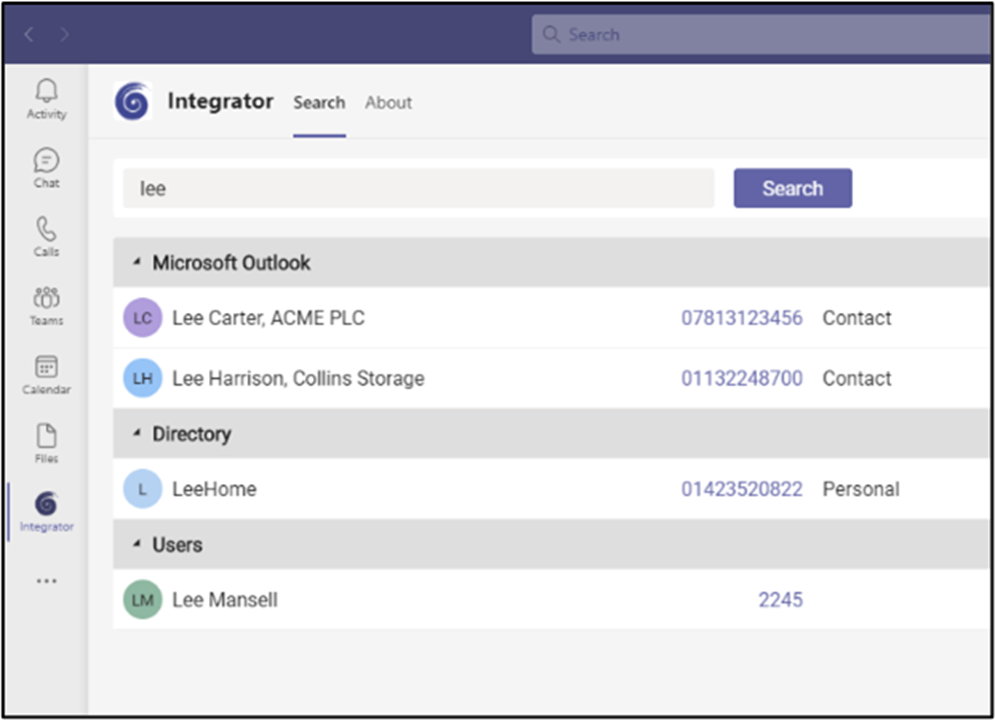
Klik op het telefoonnummer om te bellen.
Toon, Voeg toe, CRM-klanten kaart tonen voor inkomende oproep
When the Microsoft Teams user receives an incoming call via their Telephone system direct routing service, Blink Voice CRM Integrator users can view contact information for any matching entries from any integrated address books. Deze contactgegevens worden getoond in de notificatievenster of het meldingsvenster van de telefoonbalk.
Teams als voorkeurapparaat
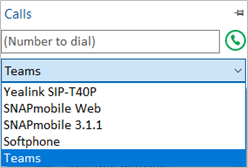
When the Telephone system user has a direct routing service available for Microsoft Teams, Blink Voice CRM Integrator TEAM and UNITE users can select "Teams" as their Preferred Device, used to make and receive calls.
In de Taakbalk modus biedt het pictogram Voorkeursapparaat een selectie van de beschikbare apparaten.
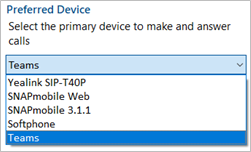
In Appbalk mode, is het voorkeurapparaat in te stellen in het “bellen” venster.
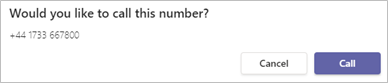
Outgoing calls initiated from Blink Voice CRM Integrator will be passed to the Teams client which will prompt the user to begin the outgoing call:
NOTE: Incoming calls to the Teams client cannot be answered by Blink Voice CRM Integrator - use the Teams incoming call notification to answer calls.
Open Microsoft Teams chat vanuit het Beschikbaarheidvenster
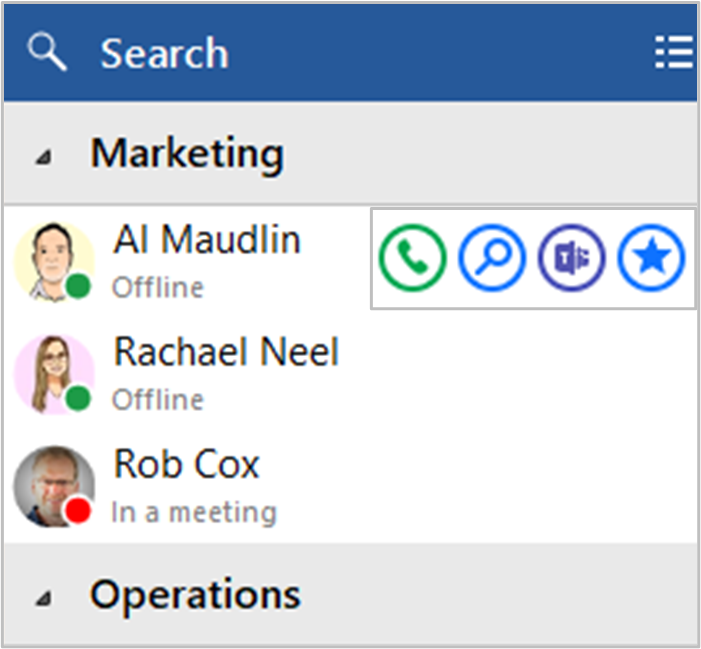
Blink Voice CRM Integrator TEAM and UNITE users can open a Teams chat conversation from within the Blink Voice CRM Integrator Presence window, using the slide out menu that appears when hovering over a contact icon.
(Het gesprek vindt plaats binnen Microsoft Teams)
Toon Teams-avatar in het Beschikbaarheidvenster
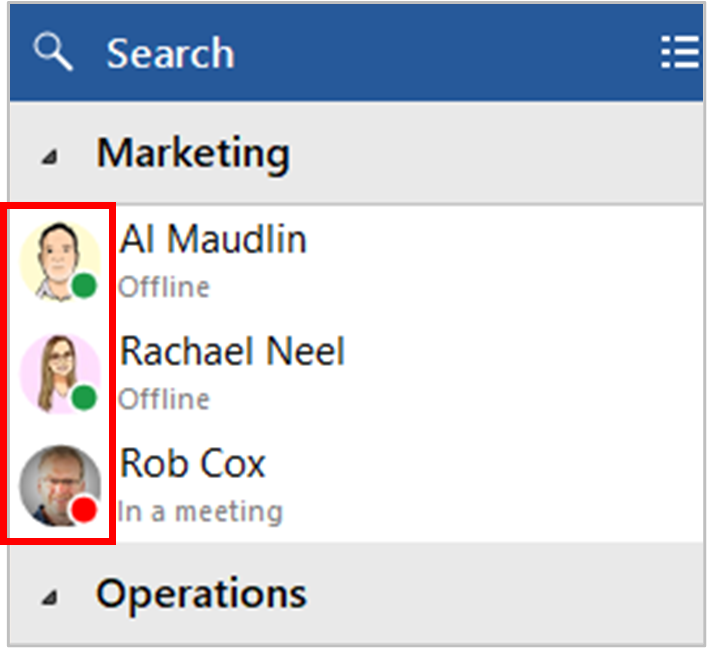
For Blink Voice CRM Integrator TEAM and UNITE users, co-worker avatar images are displayed against each User's contact icon within the Blink Voice CRM Integrator Presence window.
De Teams status van collega's weergeven in het Beschikbaarheid venster
Aanwezigheid met beschikbaarheid van Teams
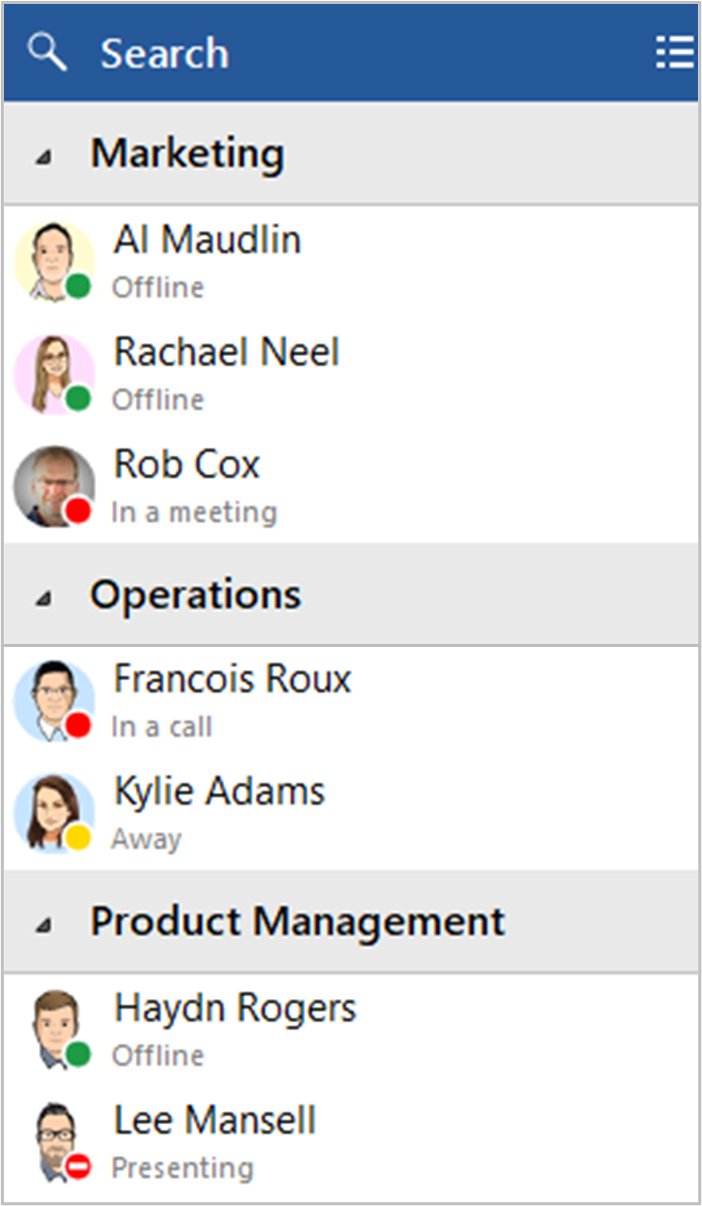
For Blink Voice CRM Integrator TEAM and UNITE users, co-worker availability is displayed as a combination of Telephone system extension status and Microsoft Teams user Availability status, indicated by a mixture of icon color and status text:
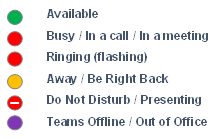
NOTE: An active call via the Telephone system extension will take precedence over Teams Availability status
Status "In gesprek" publiceren naar Microsoft Teams
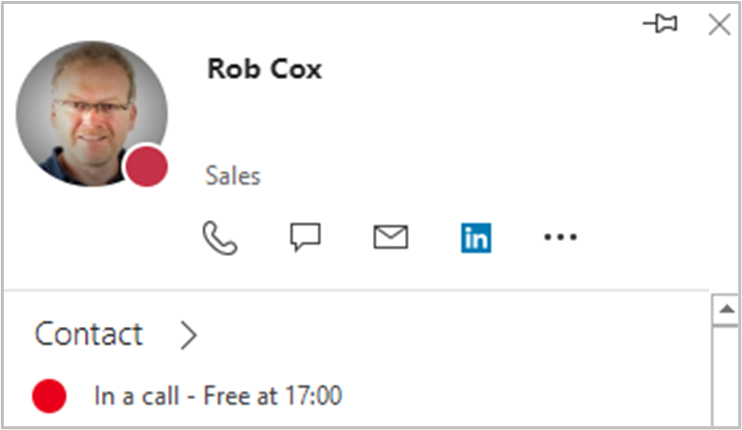
Met deze functie kan Blink Voice CRM Integrator de beschikbaarheidsstatus van Teams wijzigen in "In gesprek" wanneer de gebruiker een actief telefoongesprek voert via het telefoonplatform.
Status "In gesprek" binnen Microsoft Teams

Status "In gesprek" binnen Microsoft Outlook
 Report this page